> ## Documentation Index
> Fetch the complete documentation index at: https://docs.dreizack-medien.de/llms.txt
> Use this file to discover all available pages before exploring further.
# PluginHub
> Zentrale Übersicht und Verwaltung aller DZM Plugins direkt aus Resources & Health
Der PluginHub gibt dir eine vollständige Übersicht über alle verfügbaren DZM Plugins – inklusive Installationsstatus, Kompatibilität, verfügbarer Updates und direkter Installationsmöglichkeit. Du findest ihn im Resources & Health Dashboard.
## Status-Anzeige
Jedes Plugin zeigt zwei farbige Statuspunkte:
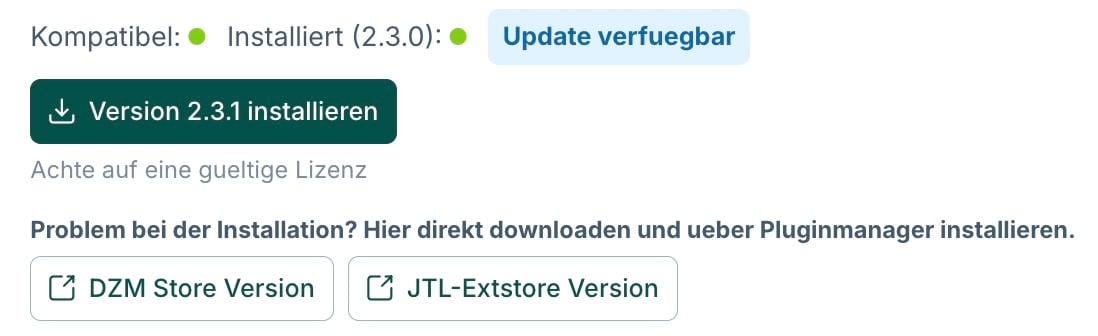
**Kompatibel** – zeigt an, ob das Plugin mit deiner aktuellen Shop-Version kompatibel ist.
**Installiert** – zeigt an, ob das Plugin in deinem Shop installiert ist (inkl. der installierten Version).
Die Farben bedeuten:
* **Grün** – aktiv und in Ordnung (kompatibel bzw. installiert)
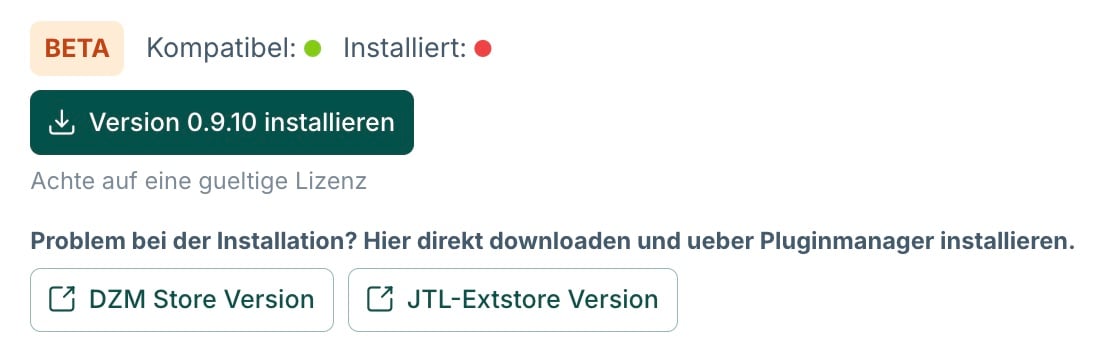
* **Rot** – nicht erfüllt (nicht kompatibel mit deiner Shop-Version, oder nicht installiert)
Beide Punkte grün: Das Plugin ist kompatibel und aktuell installiert.
Beide Punkte rot: Das Plugin ist weder kompatibel noch installiert.
### Updates
Wenn für ein installiertes Plugin eine neuere Version verfügbar ist, wird der Badge **Update verfügbar** neben dem Installiert-Status angezeigt. Darunter erscheint ein Button zum direkten Installieren der neuen Version.
Bei Installationsproblemen kannst du das Plugin alternativ direkt über den **DZM Store** oder den **JTL-Extstore** herunterladen und manuell über den Pluginmanager installieren.
### BETA und DEPRECATED
Manche Plugins tragen besondere Kennzeichnungen:
**BETA** (orange Badge) – Das Plugin befindet sich noch in der Testphase. Funktionen können sich noch ändern; Einsatz auf eigene Verantwortung.
**DEPRECATED** (roter Badge) – Das Plugin wird nicht mehr aktiv weiterentwickelt und sollte nicht mehr neu eingesetzt werden.
***
## Plugin-Kategorien
Die Plugins sind im PluginHub in folgende Kategorien gegliedert:
### Resources
* DZM Resources & Health
### OPC Suite
* DZM OPC Plus
* DZM OPC Conversion Booster
* DZM Smarty Portlets
* DZM Portlets vererben
* DZM OPC Suite
### Template
* DZM NIU Plus Template
### Tools
* DZM Reloadify
* DZM Monitoring
* DZM Luigis Box Integration
* DZM Elfsight Plus
* DZM Copy Stop
* DZM Preorder Plus
* DZM Artikelanzeigefilter Plus
* DZM CLP Gefahrenhinweise
* DZM Event Animation *(DEPRECATED)*
### Hilfsplugins